The node browser
Every field that takes an OPC UA address — NodeId, ObjectId, MethodId, the file node's target — uses the same control. It has three parts, left to right:
[ ? ▾ ][ ns= ]  ns=2;s=Boiler.Temperature   [ 🔍 ][ ⚗ ]
   |      |            |                       |    |
 source notation     value                 browse verify
The prefix: two stops
The prefix answers two orthogonal questions, so it has two buttons.
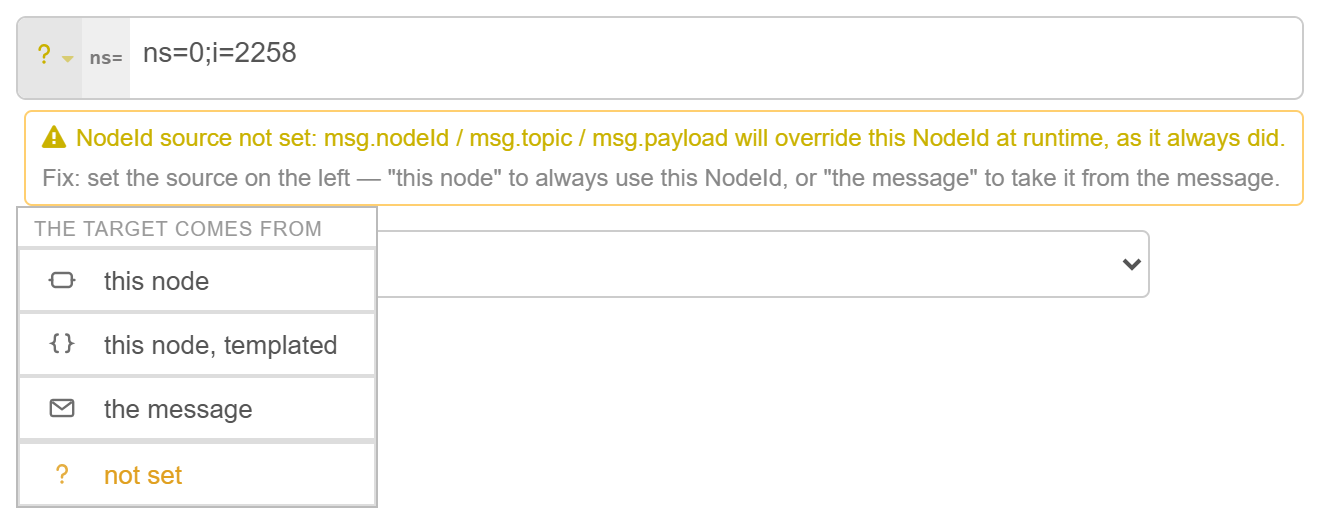
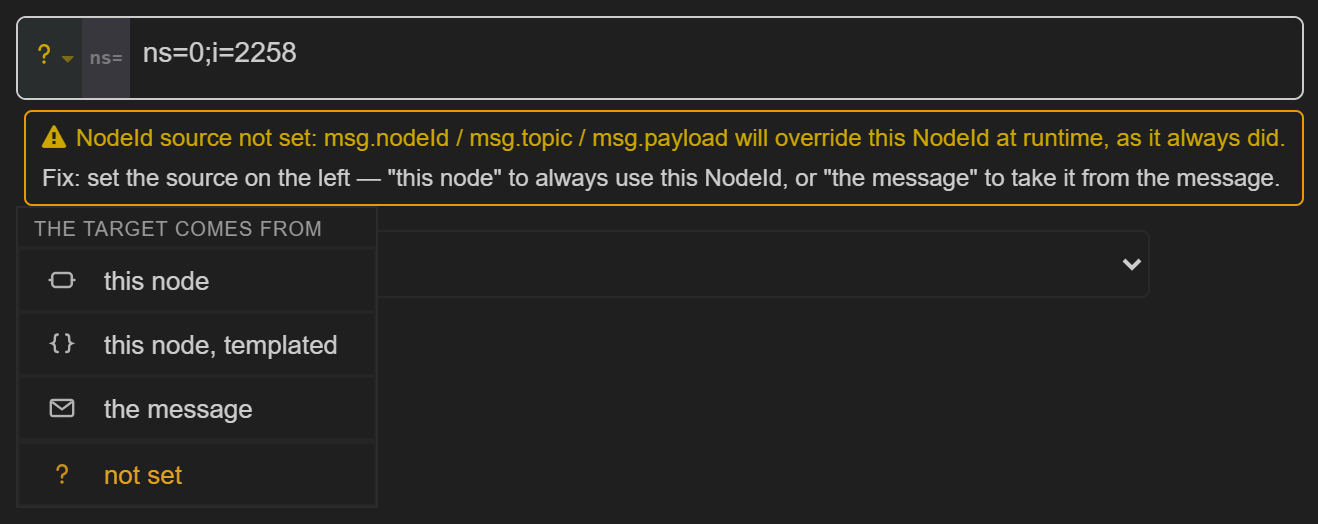
Stop 1 — the source. Who decides the target at runtime. Four states, each with its own glyph:
| Glyph | State | Meaning |
|---|---|---|
| amber ? | not set | Nobody has answered yet. The message still wins, as it always did. |
| a node outline | this node | The configured value is always used. |
{ } | this node, templated | The value is a template the message fills in. |
| an envelope | the message | The field is a message path, not an address. |
The envelope is the one to remember: in Node-RED a msg is an envelope carrying payload
and topic, so the glyph says the envelope decides the target.
Full behaviour in Where does the NodeId come from?.
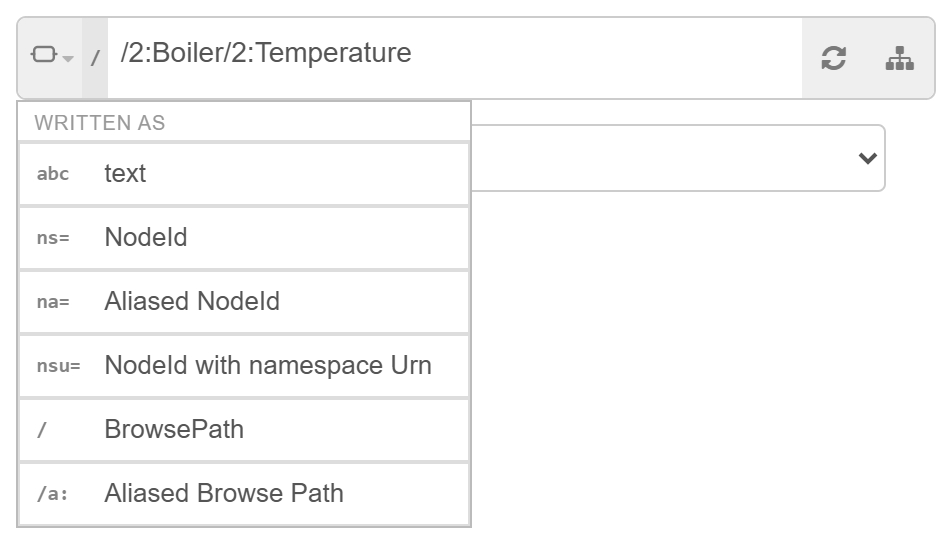
Stop 2 — the notation. How the address is written. Instead of an icon, each notation shows the characters its value begins with, so the button and the field agree:
| Token | Notation | Example |
|---|---|---|
abc | text (not verified) | Boiler.Temperature |
ns= | NodeId | ns=2;s=Boiler.Temperature |
na= | Aliased NodeId | na=boiler;s=Temperature |
nsu= | NodeId with namespace Urn | nsu=urn:sterfive:boiler;s=Temperature |
/ | BrowsePath | /2:Boiler/2:Temperature |
/a: | Aliased Browse Path | /boiler:Boiler/boiler:Temperature |
The notation the field is already in is detected as you type, so the token usually looks after itself. Picking one explicitly rewrites the value into that notation — which is the quickest way to convert a NodeId into a browse path or back.
Choosing a notation also answers the source question: writing your value a particular way implies the value is yours, so the source moves to this node.
The last notation you chose is reused for the next field you fill in, so a team that works in
browse paths does not have to switch every time. It is a per-browser preference and never
changes how an existing node behaves. New, empty fields start on ns=.
It follows your editor theme
The control takes its colours from Node-RED's own theme variables, so it follows whatever theme the editor is set to — including community themes it knows nothing about.
Browse and verify
These two buttons exist only under this node.
That is not an arbitrary restriction — it falls out of what they do. Both act on a literal address that this node owns:
- under the message the field is a pointer; there is nothing to browse to and nothing to verify;
- under templated the address is not complete until a message renders it;
- under not set the node does not own the value yet — that is exactly the unanswered question.

So on a flow saved before 3.40 the buttons are absent until you pick a source. Answering takes one click, and the tools appear.
Browse — the address-space tree
Opens a live tree of the server's address space, rooted at Objects.
- Quick filter — type to narrow the loaded tree; matching branches stay visible and the first match is focused.
- Keyboard — arrows to move, Enter to pick, Escape to close.
- No deploy needed — the tree can be browsed before the endpoint has been deployed, so you can wire and configure a flow in one pass.
- Picking a node writes a browse path by default and sets the source to this node.
Verify
Resolves the value against the server and reports what it found — the NodeId, the browse path, the node class, and the aliased forms. Use it to confirm an address you typed by hand, or to see the equivalent notations for one you browsed to.
msg. mode

When the source is the message, the field turns into a path editor:
msg.is shown in clear against the field, so the path reads as what it is;- the notation stop disappears — a pointer has no notation;
- the field suggests the paths this node honours first, then other common message
properties (
payload,payload.nodeId,payload.value,topic,nodeId,objectId,methodId); - it stays free text — the list is a shortcut, not a closed set, so a flow can carry the address wherever it likes.
Whatever is found at the path is used as-is. A path pointing at an array of NodeIds drives a multi-node read or an array subscription with no further configuration.